SaaS & Technology · 2026
Finetooth
One place to check, fix and report before every launch
- SaaS web app
- In development
 Demo data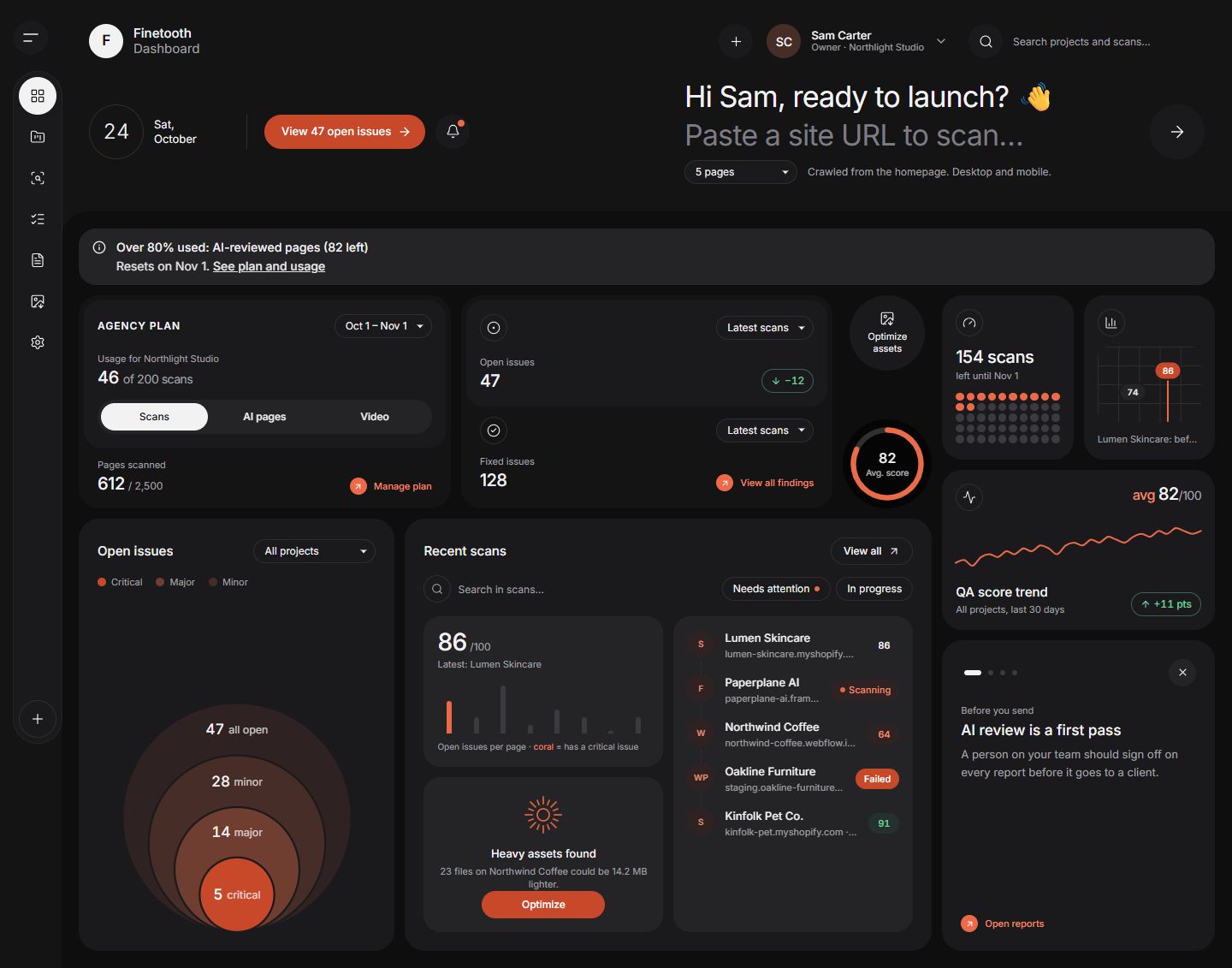
Services provided
Built with
A pre-launch QA tool for web agencies. It scans every page, ranks what to fix, optimizes images and video, and produces client-ready reports.
Finetooth is a SaaS app I designed and built for web agencies that launch client sites on Webflow, Framer, WordPress and Shopify. It scans every page on desktop and mobile, adds an AI first pass that a person must sign off, and turns findings into white-labelled client reports. It's backed by 169 unit tests and 100 database security checks.
| Industry | SaaS & Technology |
|---|---|
| Project | SaaS web app |
| My role | Product design and full-stack development |
| Client | Personal project |
| Year | 2026 |
| Status | In development |
In short
A pre-launch QA tool for web agencies, still in development.
Scans every page, ranks fixes and turns findings into client reports.
Backed by 169 unit tests and 100 database security checks.
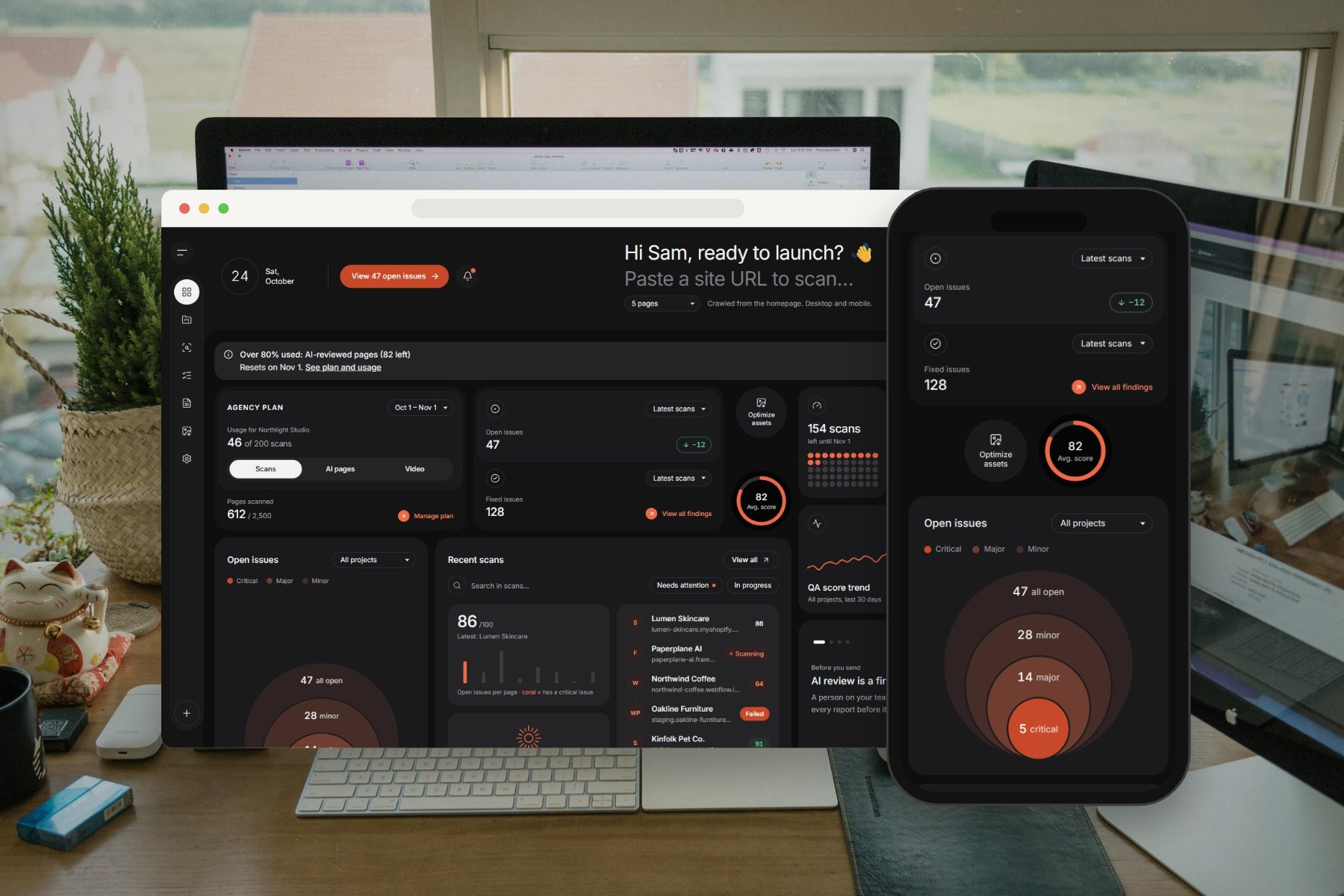
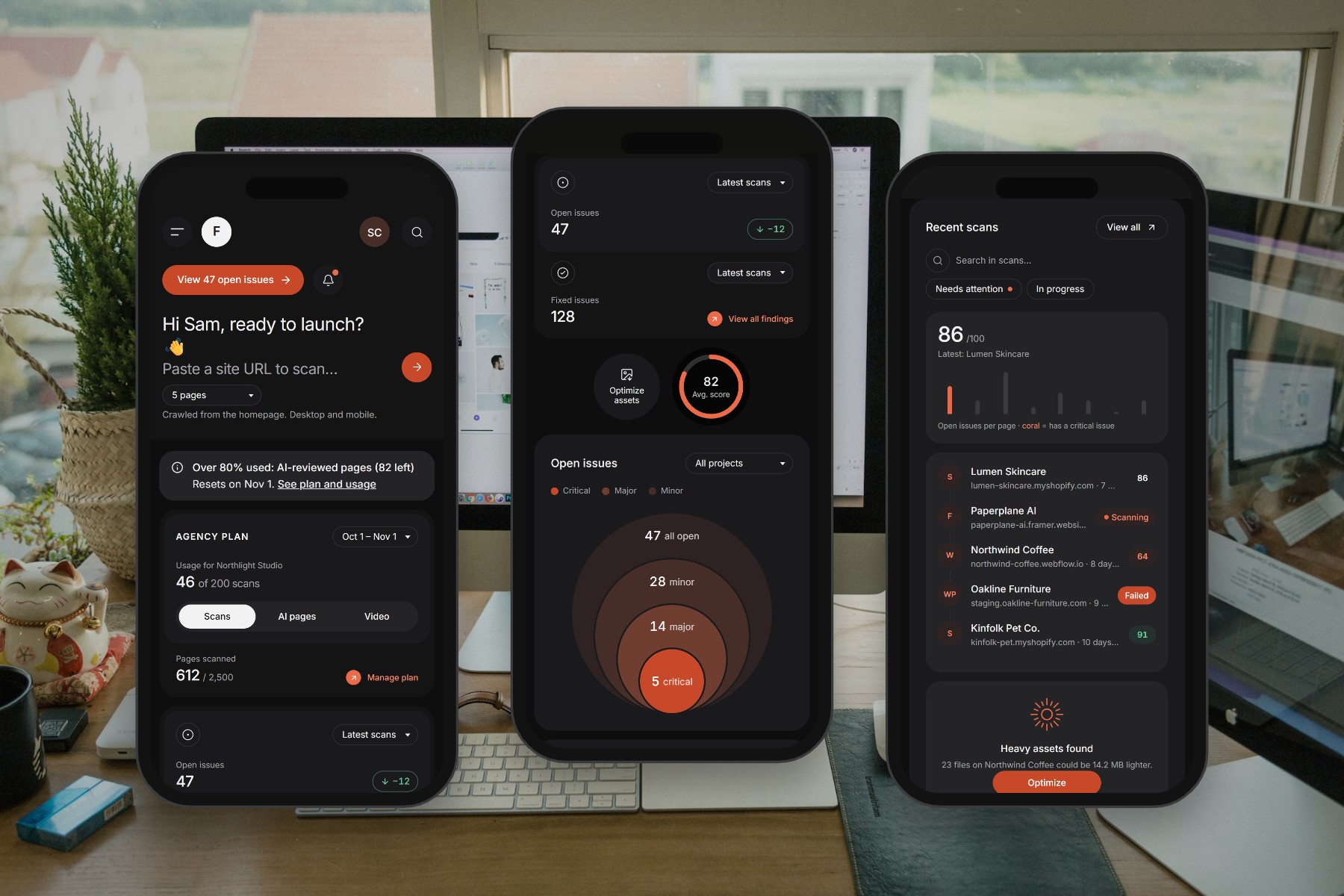
On every screen
Drag or scroll sideways

Overview
Finetooth is a pre-launch QA and asset-optimization tool for web agencies that build on Webflow, Framer, WordPress and Shopify. I did the product design and the full-stack development. It's my own product, not a client project: a full SaaS, from sign-in to Stripe billing, and it's still in development.
The problem
Agencies often launch client sites with avoidable mistakes: broken links, leftover placeholder text, missing tracking, slow pages and oversized images. Checking all of that by hand before every launch is slow, and it's easy to miss things. I wanted one place that does the checking, explains the fixes and produces something you can hand to the client.
What I built
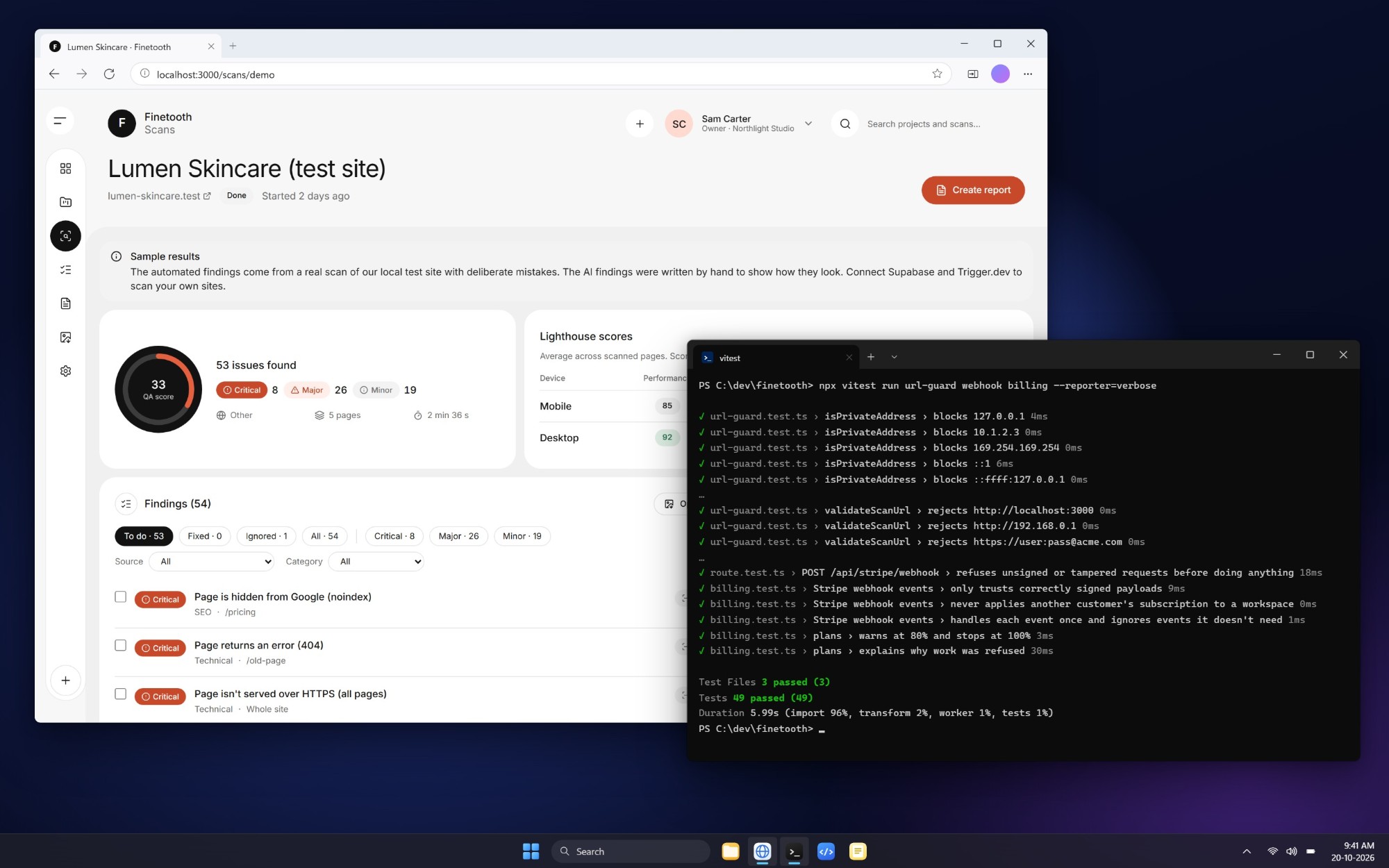
Website scanner. Captures every page on desktop and mobile and checks links, SEO, social previews, tracking (GA4, Meta Pixel, UTMs, cookie banners), forms, HTTPS, mobile layout and page speed.
AI review. Claude reviews screenshots and page copy for visual, content and brand issues, against each agency's own standards and project brief. It's clearly labelled as a first pass, and a person must sign off before anything goes to a client.
Speed fixes. Problems are ranked by impact, with copy-paste code, step-by-step guides for each platform, speed budgets and real-visitor data from Google.
Findings workflow. Mark issues in progress, fixed or "not an issue", one at a time or in bulk. Re-scans show what was fixed and what's new.
Client reports. White-labelled share links and PDFs, with optional passwords and expiry dates. The content is frozen once someone signs it off.
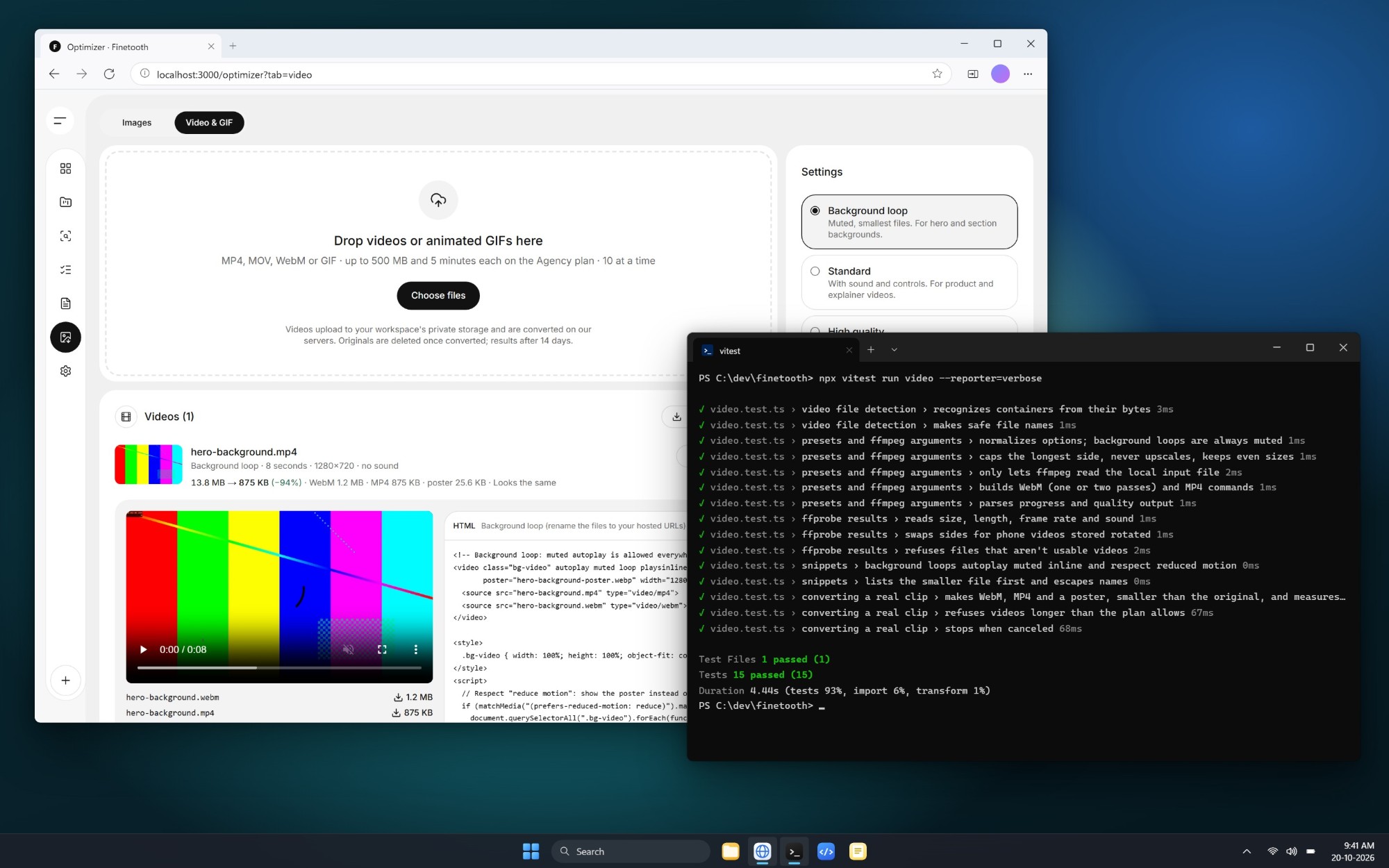
Asset optimizer. Bulk image conversion to WebP or AVIF entirely in the browser, with a quality check. Videos and GIFs become WebM, MP4 and a poster image on a server, with live progress. Every result comes with ready-to-paste code, and heavy files found by a scan open straight in the optimizer.
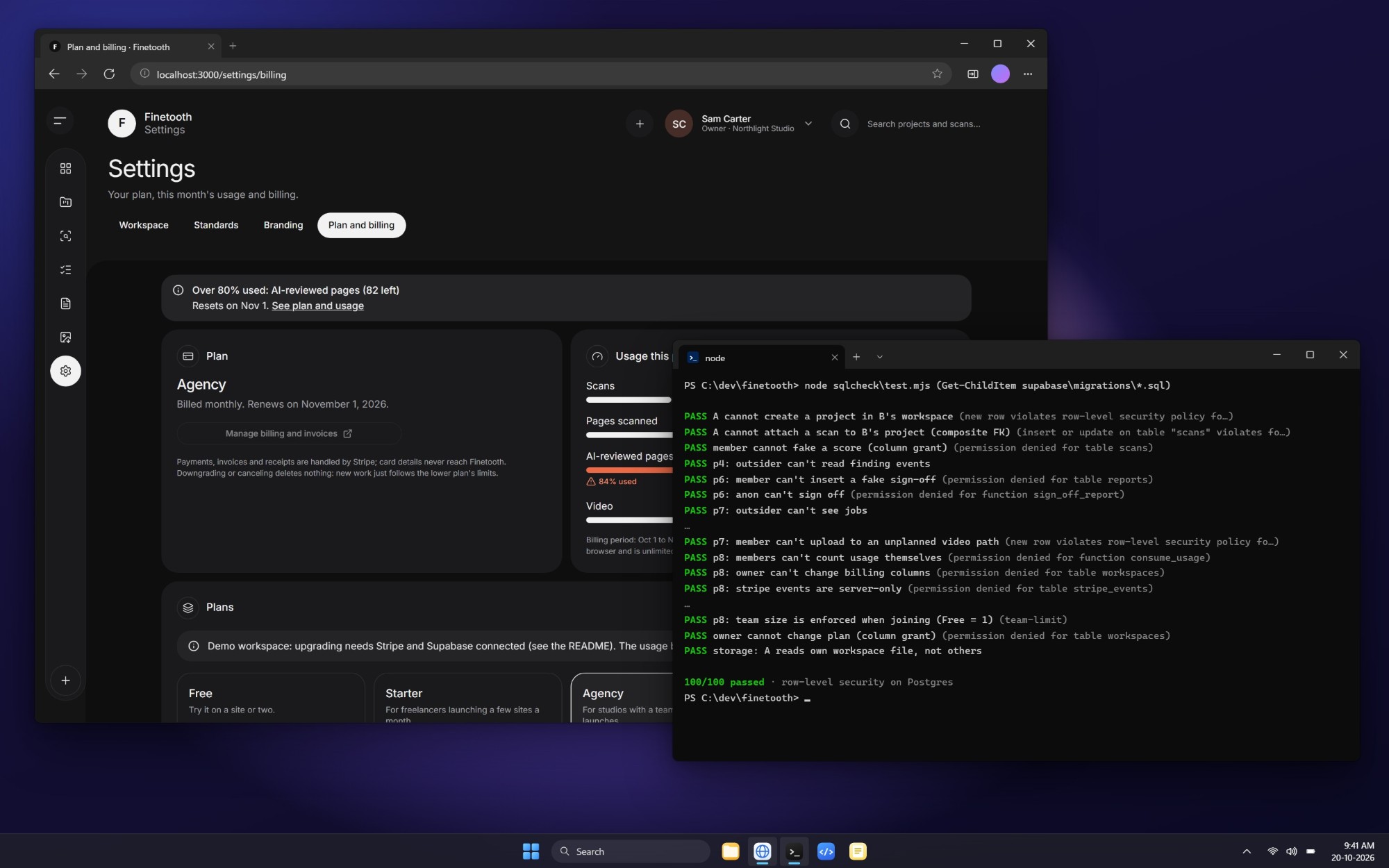
Plans and billing. Four plans (Free, Starter, Agency, Scale) with monthly usage limits, Stripe Checkout and Stripe's customer billing portal.
Technologies
| Technology | What I used it for |
|---|---|
| Next.js 16 (App Router) + TypeScript | The full-stack app, server actions and API routes |
| Tailwind CSS v4 | Design system, light and dark themes, accessible colour contrast |
| Supabase (Postgres) | Database, sign-in (email and Google), private file storage |
| Postgres row-level security | Each customer's data isolated, enforced in the database itself |
| Trigger.dev | Background jobs with retries and live progress: scans, video conversion, PDFs, daily clean-up |
| Playwright (headless Chromium) | Page capture, PDF rendering and end-to-end tests |
| Lighthouse + Chrome UX Report API | Lab speed scores and real-visitor speed data |
| Claude API (Opus 5.5) | AI review with structured output, prompt caching and cost tracking |
| WebAssembly codecs (Squoosh/jSquash) + Web Workers | In-browser image conversion: files never leave the user's device |
| ffmpeg | VP9 and H.264 video encoding, poster frames, SSIM quality score |
| TUS resumable uploads | Large video uploads that resume after a dropped connection |
| Stripe | Subscriptions, Checkout, billing portal, signed webhooks |
| Vitest + PGlite | Unit tests and database security tests on a real Postgres engine |
| Vercel | Hosting |
Security and reliability
- SSRF protection: user-entered URLs can't reach internal networks or cloud metadata, and every redirect is checked again.
- Safe uploads: files are checked by their actual bytes, never by file name, and are never executed.
- Trusted billing events: Stripe webhooks are accepted only with a valid signature and processed exactly once.
- Limits that hold: usage is counted in one locked database step, so simultaneous requests can't push past a plan's limit.
- Secrets stay private: all secret keys are kept on the server.
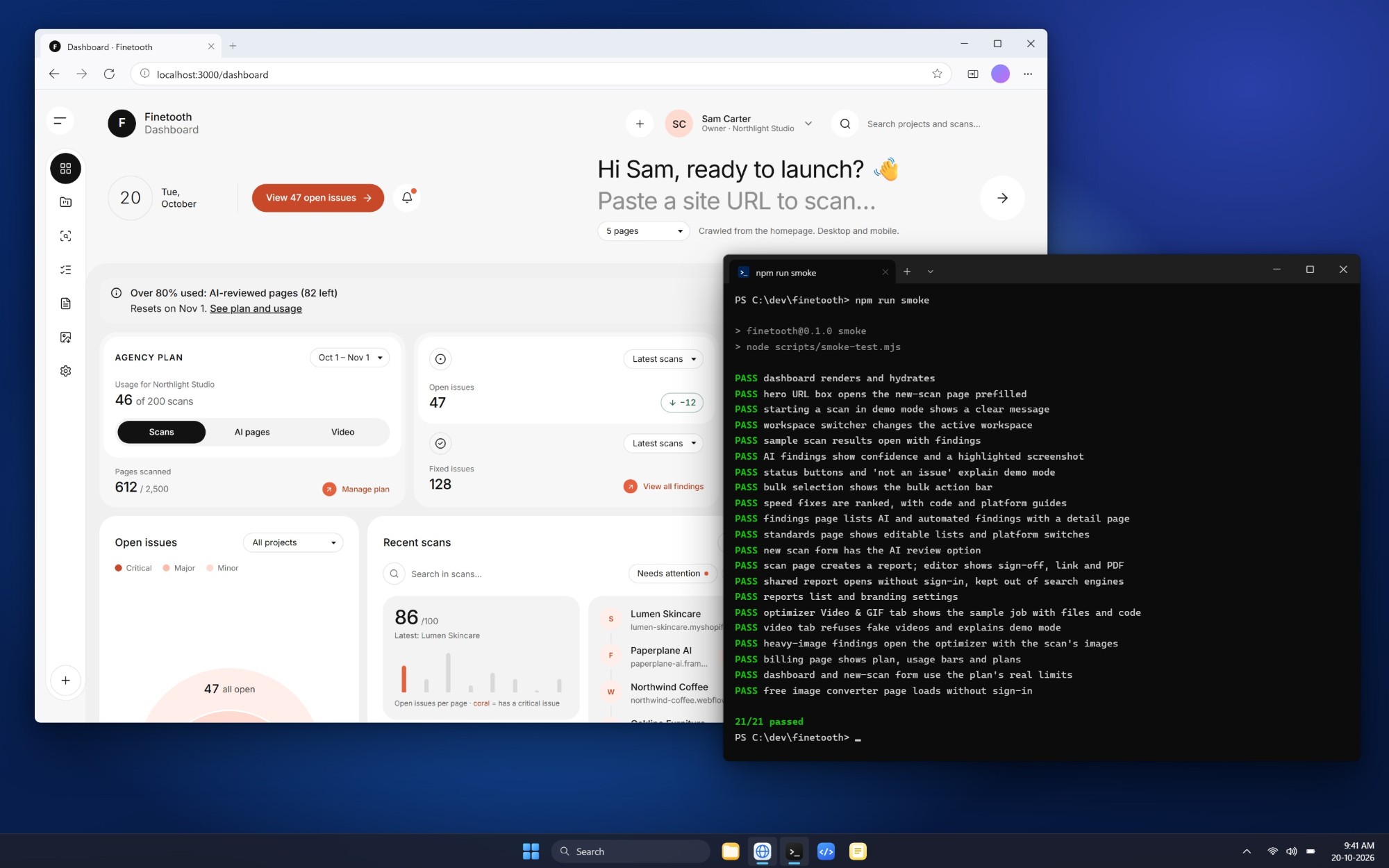
- Tested: 169 unit tests, 100 database security checks, and a 21-step end-to-end test covering the whole app.
Outcome
A tested SaaS product, built in 8 phases so far, from sign-in to Stripe billing, and still in development. Its live demo runs on sample data so anyone can try it without an account, and it's ready to connect to production services.
What I learned
- The speed of AI tools is real. Working with AI coding tools got me from idea to working features much faster than I could have managed alone, and that made a product this size realistic.
- Working code isn't the same as safe code. Data isolation, SSRF protection and upload handling were decisions I had to make and check myself. The 100 database security checks try to break those rules on purpose, because "it works" says nothing about what a hostile user can do.
- Billing needs human judgment. Duplicate webhook events and simultaneous requests are edge cases that cost real money when they go wrong. I treated each one as a design decision I owned.


